

This is Part 1 of a three-part series analyzing a sophisticated ClickFix malvertising campaign. In this series, we cover the initial social engineering (Part 1), the malware’s evasion tactics (Part 2), and the detection strategies needed to identify it (Part 3).
Summary
As we approached the end of 2025, the distinction between “user-driven execution” and “malware execution” grew increasingly unclear.
Cyber Centaurs are used to email attachments, macro lures, drive-by downloads, and exploit chains. However, some of the most effective compromises we see today skip most of that, and instead convince a user to execute a command on behalf of the attacker.
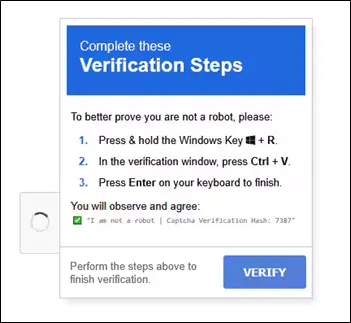
That is the essence of ClickFix: a social engineering attack that weaponizes “verification steps,” fake update prompts, or fake security warnings. This weaponization uses JavaScript to copy malicious code to the victim’s clipboard when they interact with the phony prompt. Then it prompts the user to perform the following actions: Win+R, then Paste, then Run. Security controls in these cases are not the failure point. Instead, the user became the source of the execution. Modern reporting continues to document the effectiveness of this technique and how attackers are further evolving it.
In this case, a single endpoint compromise led to nearly three weeks of attacker dwell time via a highly evasive persistence mechanism that combined:
- ClickFix initial execution via malvertising through a legitimate ad network
- A multi-stage PowerShell loader consistent with MintsLoader (character-array decoding, alias obfuscation, staged retrieval with victim tracking)
- AsyncRAT as the primary interactive access tool with built-in infostealer functionality
- Payload at rest protection via Windows DPAPI in LocalMachine scope, making offline analysis extra difficult
- Mailbox style beacon: a scheduled task that ran every 3 minutes, executing commands via clipboard manipulation to reduce command-line visibility
- A large secondary payload (flagged by sandboxing as likely an additional infostealer that falls under the Radamanthys family), that was staged but not immediately executed
- Custom root CA certificate installation to enable trusted TLS communications to C2 infrastructure
Below is the incident story, followed by defensive takeaways we want every IR team and SOC to have on their checklist.
Why ClickFix Keeps Working
ClickFix is not a software vulnerability. Instead, it’s a user vulnerability. Attackers don’t need an exploit when they can reliably achieve the following:
- User Attention: Getting the user to notice the prompt
- User Urgency/Friction: “You can’t close this,” “verification required,” “certificate installation needed.”
- User Execution via a Trusted Mechanism: Win+R, PowerShell, Terminal, System Dialogs
The social engineering in this case followed a typically seen pattern: a persistent pop-up that could not be closed. When dismissed, it reappeared. The user eventually complied with the instructions after being unable to proceed otherwise. That pressure, with friction that is only resolved through compliance, is the core of what makes ClickFix attacks effective.
Multiple threat intel reports show ClickFix campaigns now include:
- Environment-aware lures that behave differently in sandboxes versus real user sessions
- OS-specific instructions tailored to Windows, MacOS, or Linux
- Auto-copying commands to the clipboard to reduce the chance of victims making transcription errors
- Conditional payload delivery that avoids triggering in automated analysis environments
SOC and IR teams can’t patch ClickFix. They can only detect, disrupt, and train users to recognize the pattern.
Attack Chain (what was observed)
Initial Access: Malvertising + ClickFix
The triggering event wasn’t a sketchy download portal or a phishing email with an attachment. It was a legitimate browsing session in which the user clicked a link in a business associate’s email, which navigated to a blog article on a legitimate industry publication.
The malicious content was delivered through an advertising network (not the website itself being compromised). Our key observations:
- HTTP request to the ad network was logged during sandbox analysis of similar URLs
- ClickFix pop-up did not render in sandbox recordings but did render for the actual victim
- No redirect chain in browser history. Context was rendered inline via an iframe/overlay
- Ad parameters showed contextual targeting to specific blog article content
This behavioral difference between sandbox and real user execution is consistent with conditional payload delivery. A technique in which malicious JavaScript fingerprints the environment and delivers the payload only to real victims. The specific evasion mechanism couldn’t be confirmed without access to the ad script’s source code.
The image below is just an example of what a ClickFix pop-up may look like. This was not the specific pop-up that our client interacted with. (Credit: https://blogs.ufv.ca/itservices/2025/11/clickfix-attacks-fake-problems-fake-fixes-real-compromise/)
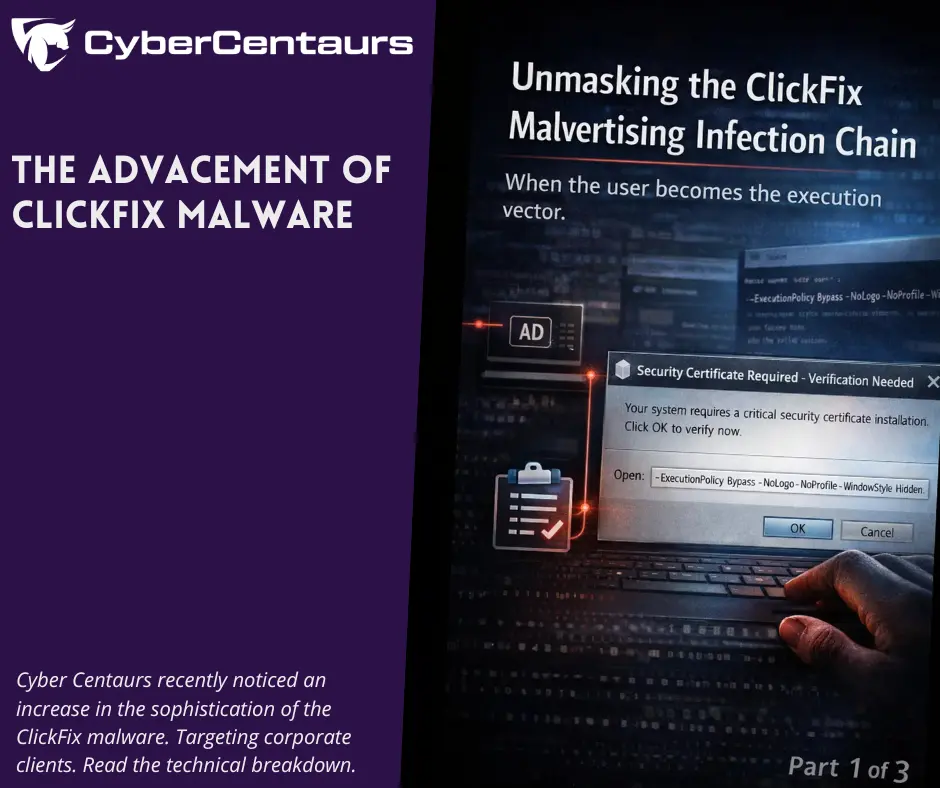
The lure in our case presented as a “certificate installation” pop-up that respawned when the user tried to dismiss it. After multiple failed attempts to close it, the user eventually complied with the instructions.
Execution artifacts (obtained via RunMRU) confirmed that the command was launched via Win+R with the following stealth flags:
-ExecutionPolicy Bypass -NoLogo -NoProfile -WindowStyle Hidden
These flags are designed to:
- Bypass script execution restrictions (-ExecutionPolicy Bypass)
- Suppress the PowerShell startup banner (-NoLogo)
- Skip profile scripts that may interfere (-NoProfile)
- Hide the console window entirely (-WindowStyle Hidden)
This is the signature of a user-pasted command, not a script downloaded and executed via the browser, an email attachment, or an exploit chain.
Continue the investigation: Part 2: Breaking Down the MintsLoader & DPAPI Encryption
References
- Microsoft Security Blog, “Think before you Click(Fix): Analyzing the ClickFix social engineering technique,” August 2025. https://www.microsoft.com/en-us/security/blog/2025/08/21/think-before-you-clickfix-analyzing-the-clickfix-social-engineering-technique/
- Proofpoint, “ClickFix Social Engineering Technique Floods Threat Landscape,” November 2024. https://www.proofpoint.com/us/blog/threat-insight/security-brief-clickfix-social-engineering-technique-floods-threat-landscape
- Infosecurity Magazine, “ClickFix Attacks Surge 517% in 2025,” November 2025.https://www.infosecurity-magazine.com/news/clickfix-attacks-surge-2025/
- Center for Internet Security, “ClickFix: An Adaptive Social Engineering Technique,” 2025.https://www.cisecurity.org/insights/blog/clickfix-an-adaptive-social-engineering-technique
- UFV IT Services, “ClickFix Attacks: Fake Problems, Fake Fixes, Real Compromise,” November 2025.https://blogs.ufv.ca/itservices/2025/11/clickfix-attacks-fake-problems-fake-fixes-real-compromise/